
Uitly.com provides a great URL shortener, dynamic QR code generation, branded bio pages and click analytics. It is link shortening, tracking, and organization all in a single dashboard, which makes it convenient for creators, businesses and marketers requiring clean and shareable links.
Long and clunky links are irritating. They are used to break in emails, are messy on social media, and no one wants to click a URL that has random numbers and symbols. A URL shortener is the exact solution to this.
Uitly.com is a powerful URL shortener with additional features that many URL shorteners don’t include, such as QR codes and link-in-bio pages. This article will give you insight into what Uitly does and how to use it, who it’s for and some tips for maximizing your short links.
What Is Uitly.com?
Uitly is a link management platform. It simply converts a long and ugly URL into a short, clean URL that can be shared anywhere.
But that isn’t all. Uitly also offers an option to create QR codes, create a basic bio page for all your social profiles and reveal basic statistics of who is clicking on your links. Imagine it as a toolbox for anyone who regularly posts links and wants them to be a little tidier and more effective.
The dashboard is designed to be easy to use. There is no need in coding knowledge or in a marketing degree for you to know where things are.
Why Uitly.com Offers Powerful Tools to Shorten URLs
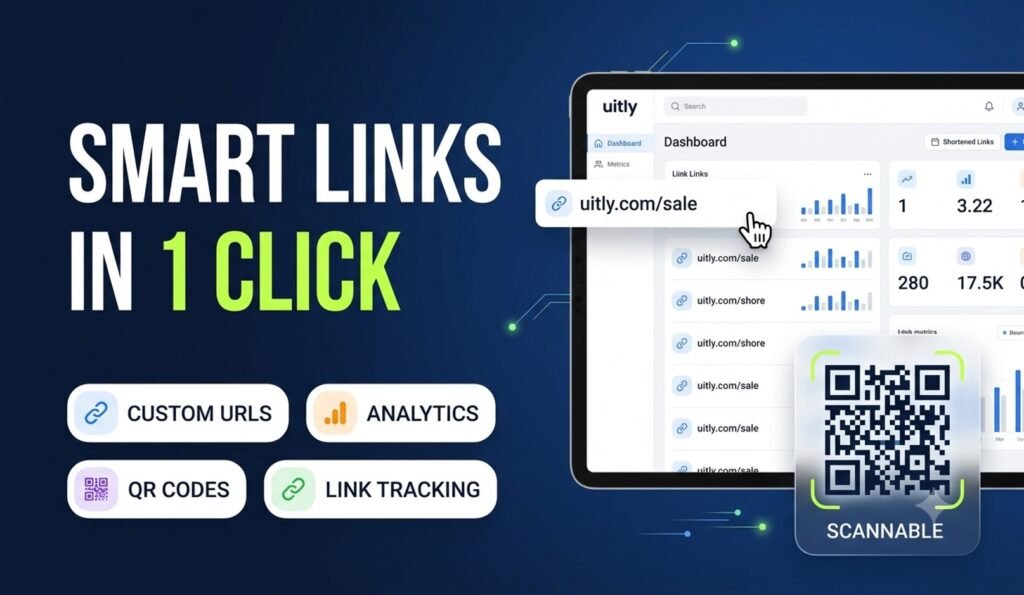
If you want to shorten some URLs, then Uitly undoubtedly the best option to choose. It comes with lots of powerful tools along with some notable features. Check out them:
Easy Link Shortening
You copy and paste your long URL in the box, click the button and receive a short link in seconds. There’s no complicated setup for the basic function.
Custom Short Links
Uitly allows you to use a memorable word or phrase for short links, rather than a random string of letters and numbers. A trusted link, such as uitly.com/summer-sale, is more likely to be remembered than a string of characters.
QR Code Generator
Uitly has a QR code generator integrated in your shortened URLs. This is useful for print-based items – such as business cards, posters, or print materials – where a person does not want to type.
Link Organization
Link tracking is important when you’re building more links. Uitly provides you a dashboard that shows all your links in one place, rather than having to sift through old e-mails to find one that you created last month.
Click Tracking & URL Analytics
Basic click tracking will let you know how many people have clicked on a link. This type of URL tracking will give you insight into whether or not a campaign or post is really being read.
User-Friendly Dashboard
All the resources are contained in one location. No need to switch between the different tools to shorten, track and organise — everything is done from one screen.
Benefits of Using Uitly.com
- There are a number of different reasons why different people are using link shortening tools. Here’s the way it regularly supports specific groups:
- Bloggers: Share links easily in newsletters and posts without having to add in all the long links in the bloggers.
- Businesses: Branded URLs are more professional and can create trust with customers as opposed to using a generic shortener link.
- Fitters of Social Media: Use short links to fit more content into bios and captions that are limited by the number of characters.
- Digital Marketers: Using click data in a campaign to understand which ones are working and which aren’t (and to tweak strategy accordingly).
- Students: Share research links, project resources or presentation materials in a document/slide without long and broken links.
How to Shorten a URL Using Uitly.com
So, it’s an important thing to know how you can shorten a URL using Utily. It’s not a hard thing to do. Just you need to follow some easy steps: Follow these steps:
- Visit uitly.com and sign up for a free account (or log in to your existing account).
Copy the long URL that you would like to shorten. - Just copy and paste it in the link shortening box on your dashboard.
- If you wish to use a short link that has a name instead of a random one, add a custom alias.
To get your new link, click the shorten button. - Copy the short link and post anywhere: social media, email, or print.
- At the end, you can view click data for that link on your dashboard.
Tips for Creating Better Short Links
- A short link is not just a shortened form of a long link, it is something more. Some minor “hacks” make them better. Check out these useful tips for making better short links:
- Use a custom alias that gives some indication of what is contained in the link rather than a random code, such as /webinar-signup.
- Keep aliases short as well as easy to type, particularly if someone may read the link out loud.
Do not include special characters or misspelled words in your custom slug. - If you have the ability to organise links into folders or tags, do so in order to keep campaigns organised.
Don’t just set a link and forget about it, review click data regularly.
Is Uitly.com Safe to Use?
All URL shorteners, such as Uitly, perform the same function: redirecting a short URL to a longer one. It’s normal and that’s the way shorteners always have and still always will work, but it is still a good idea to take all precautions when surfing.
- Do not click on any short links from any source you don’t know or trust. With a shortened link, context is all important.
- Test beforehand the destination of a link before passing it along – particularly in a business or public environment.
- Take responsibility for your own links, delete or update links that lead to outdated or dead pages.
- These are not only habits to have when you’re using any short URL service including Uitly, but they also help maintain the integrity of your shared links.
Final Thought
Uitly.com has some great features to shorten URLs and includes QR codes, a bio page and even simple analytics without needing separate apps for each function. The best link shorteners will vary based on your intended use.
Use a couple of quick links, check out the dashboard and determine at that point whether it’s a fit for your everyday link sharing habits. Thank you all for reading this article.