
When you use the internet to learn something and try to download videos from YouTube and other online platforms, You are to face many problems like ads and you can not download any videos without hassle. We have taken some steps to provide easy access to download YouTube videos in your personal Storage or memory so that you can learn anything with full attention.
We will show you some simple processes to download videos to your storage to watch it without online hassle like ads, notification and low internet connection and many things.
Why Downloading is not Simple and Easy
Most of us assume downloading a video should be as easy as saving a photo—but the reality is far more complicated. Video platforms are built for streaming, not for giving you true ownership of what you watch. Even when they offer an “offline” option, it usually comes with strings attached: pricey subscriptions, app-specific restrictions, or device limitations that leave you frustrated.
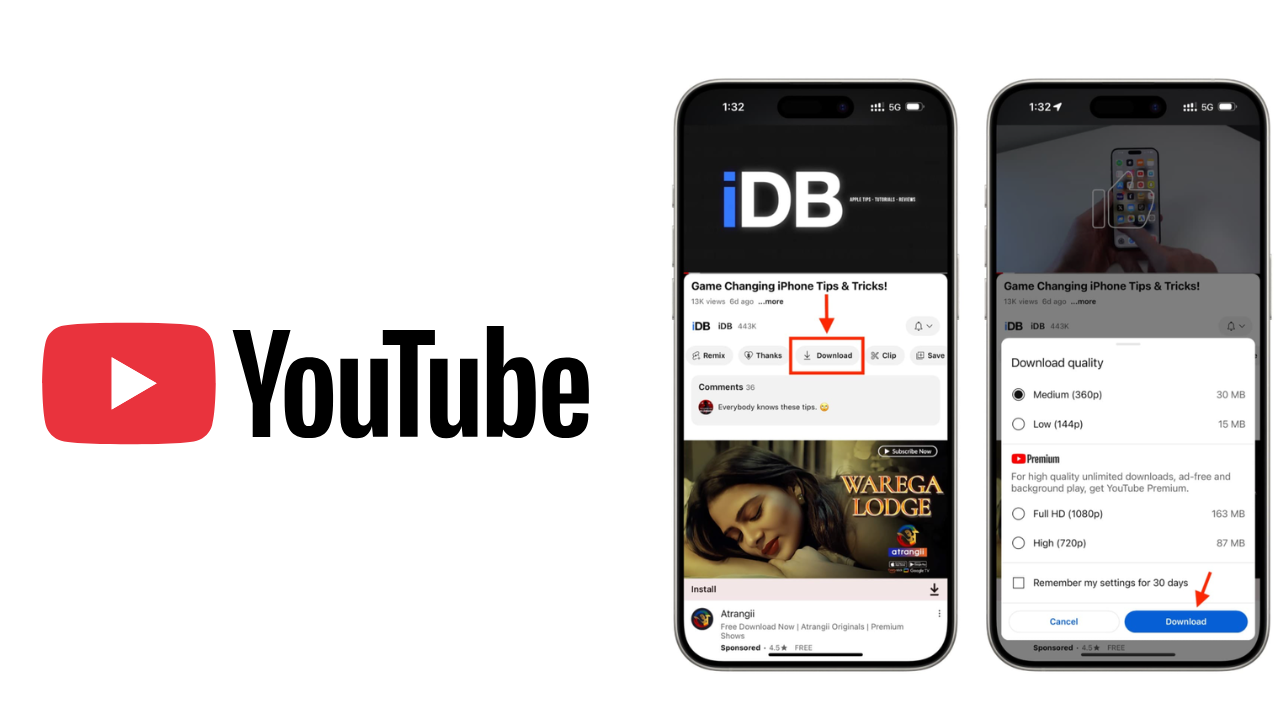
Take YouTube Premium, for instance. Sure, you can download videos to watch later—but only within the YouTube app. You can’t transfer them to your laptop, edit a clip for a project, or watch them on a different player. And the moment your subscription lapses? Those downloads vanish into thin air, leaving you right back where you started.
How to Download YouTube Videos with 4K Video Downloader Plus Easily
If you want to download videos from YouTube, then follow some steps below to download Youtube videos without hassle:
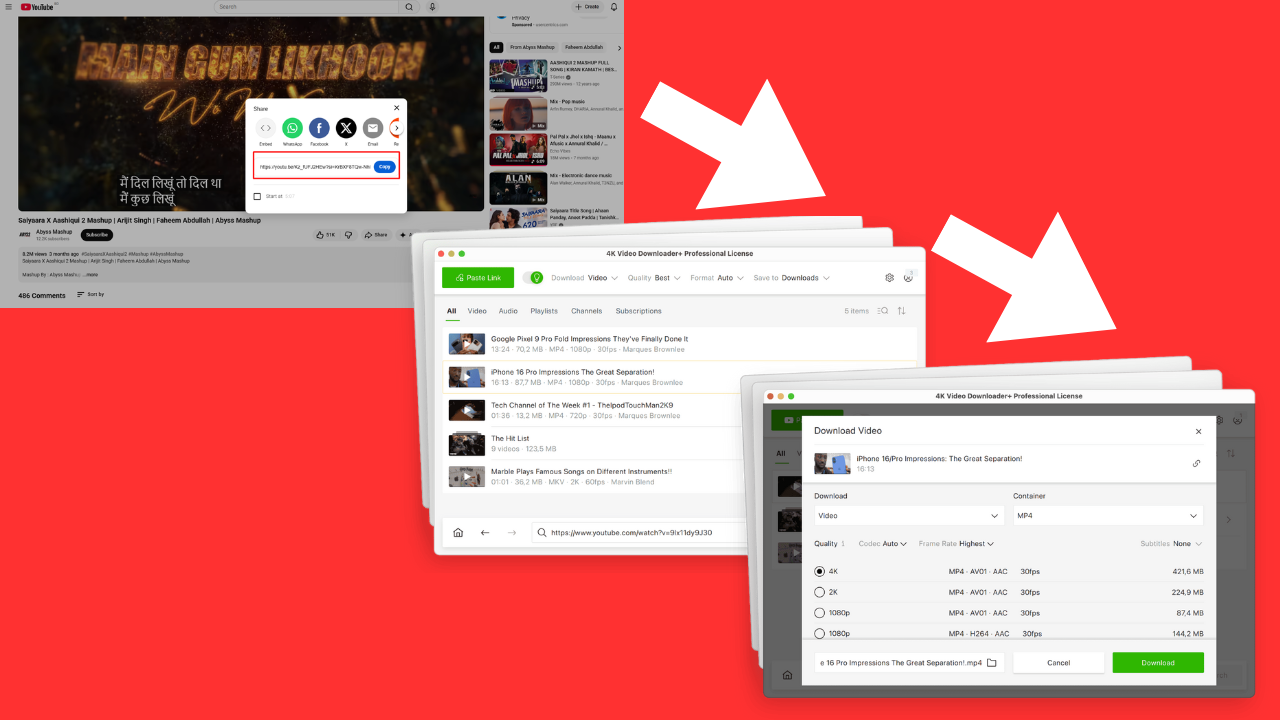
Copy Link: Open YouTube and copy the video link of the simple playlist or channel you want to download. You can download it easily.
Paste: Open the 4K Video Downloader Plus app and paste the like of the video, that’s it then the software automatically analyzes the content and will make ready to download
Choose Video Format: Now you have to choose your required format which one you want to download. You can download up to 8K resolution with the apps.
Download and Watch offline: After choosing video format, click the download button to download it. When the download is complete, you can watch it offline.
Read Also: Bynethi com: A New Digital Identity for the Future
Built-in browser and access to restricted content
A Smarter Way to Access Hard-to-Reach Content
4K Video Downloader Plus comes with a built-in browser that makes grabbing age-restricted, private, or tricky-to-reach videos much simpler. You just log in once, and the app takes care of the rest—no more bouncing between tabs or hunting for workarounds. YouTube Premium works fine if all you want is ad-free streaming and offline viewing inside their app, but it falls short for anyone who actually wants to own and manage their downloads.
Flexible Pricing That Fits Your Needs
4K Video Downloader Plus offers several plans depending on what you need. The Starter tier is completely free and gives you permanent access to the core features—no trial countdown, no credit card hassle, just grab it and go.
From this platform, you can easily download files without facing any issues. So use the platform and download videos for free.
Final Word
In this article, we have discussed how to download YouTube videos easily without facing any hassle. If you want to download YouTube videos to your personal storage to watch it offline with better attention, then this guide will help you a lot. You will be able to download videos in simple steps like opening YouTube and copying the video link of the simple playlist or channel you want to download. You can download it easily. And open the 4K Video Downloader Plus app and paste the like of the video, that’s it, then the software automatically analyzes the content and will make it ready to download.
Read More: How to Download YouTube Videos for Free on Your Device Easily