

There is a lot of useful and informative content on YouTube, which makes your professional journey easy. Sometimes it needs to copy the video’s transcript. If you need a transcript for making related any content or taking notes, you can take it easily by following the steps below. So, copy the subtitles from any YouTube videos easily.
How to copy a transcript of someone else’s video
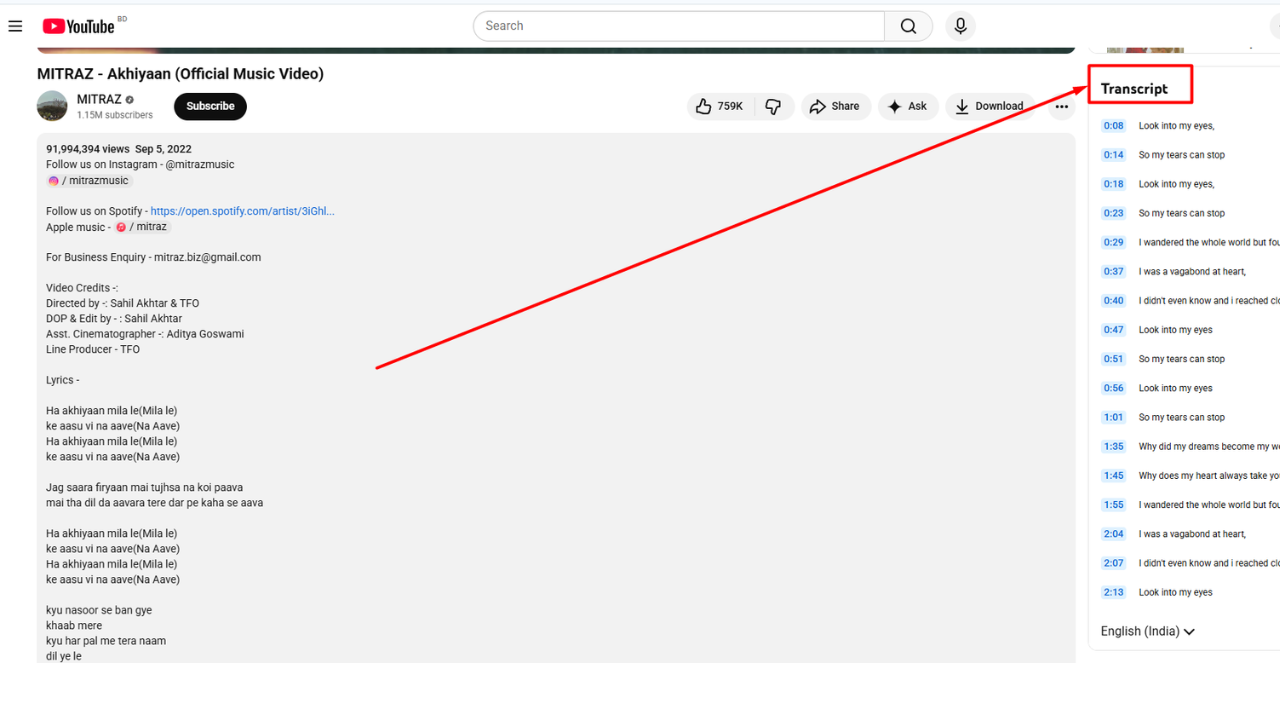
- Go to YouTube and choose your desired video.
- Look below the video and go to the right side
- Then click the three-dot “…” menu
- Then Select show transcript ” from the drop-down menu
- After that, you need to go to the upper-right corner of the transcript box
- Then click three dot menu and download it
How to Download the Transcript of Your Uploaded Video
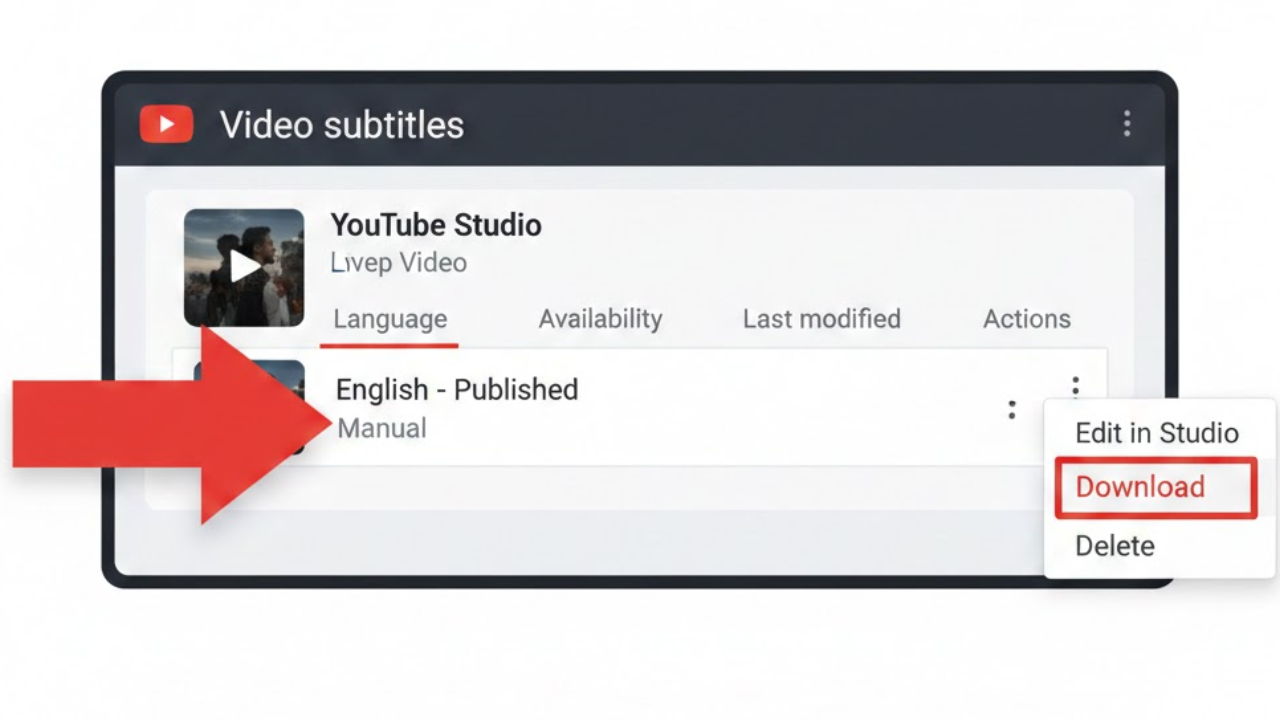
- Open the YouTube website and click “sign in” in the upper-right.
- Then, click the upper-right corner of the screen and click your profile icon.
- Now select YouTube Studio from the drop-down menu.
- Then scroll down and tap on the subtitle.
- Click the video with the subtitles you want to download.
- Then you have to move your mouse cursor over the row with subtitles and then click the three-dot option on the right side.
- After that, select download from the drop-down menu.
- Finally, choose the file extension to download.
Final Word
Many people use YouTube to learn many things, and it has a large sources for education, which makes your professional journey easy. Sometimes it needs to copy the video’s transcript. If you need a transcript for making related content or taking notes, you can take it easily by following the steps below. So, copy the subtitles from any YouTube videos easily. If you follow these simple steps easily, then you can download the transcript for your notes or your personal or professional use. So, follow these steps to use it as your notes.
Read More: How to Download YouTube Videos for Offline Viewing in Your Storage